Desktop POS
Great for fixed counters with monitor, receipt printer, and cash drawer.
Salam System supports laundry and dry-cleaning operations with a laundry-specific workflow: drop-off, promised dates, job status, pickup, partial payment, receipts, and job reporting so the counter and backroom team stay aligned without repeat entry.
Still comparing? View all plans first.
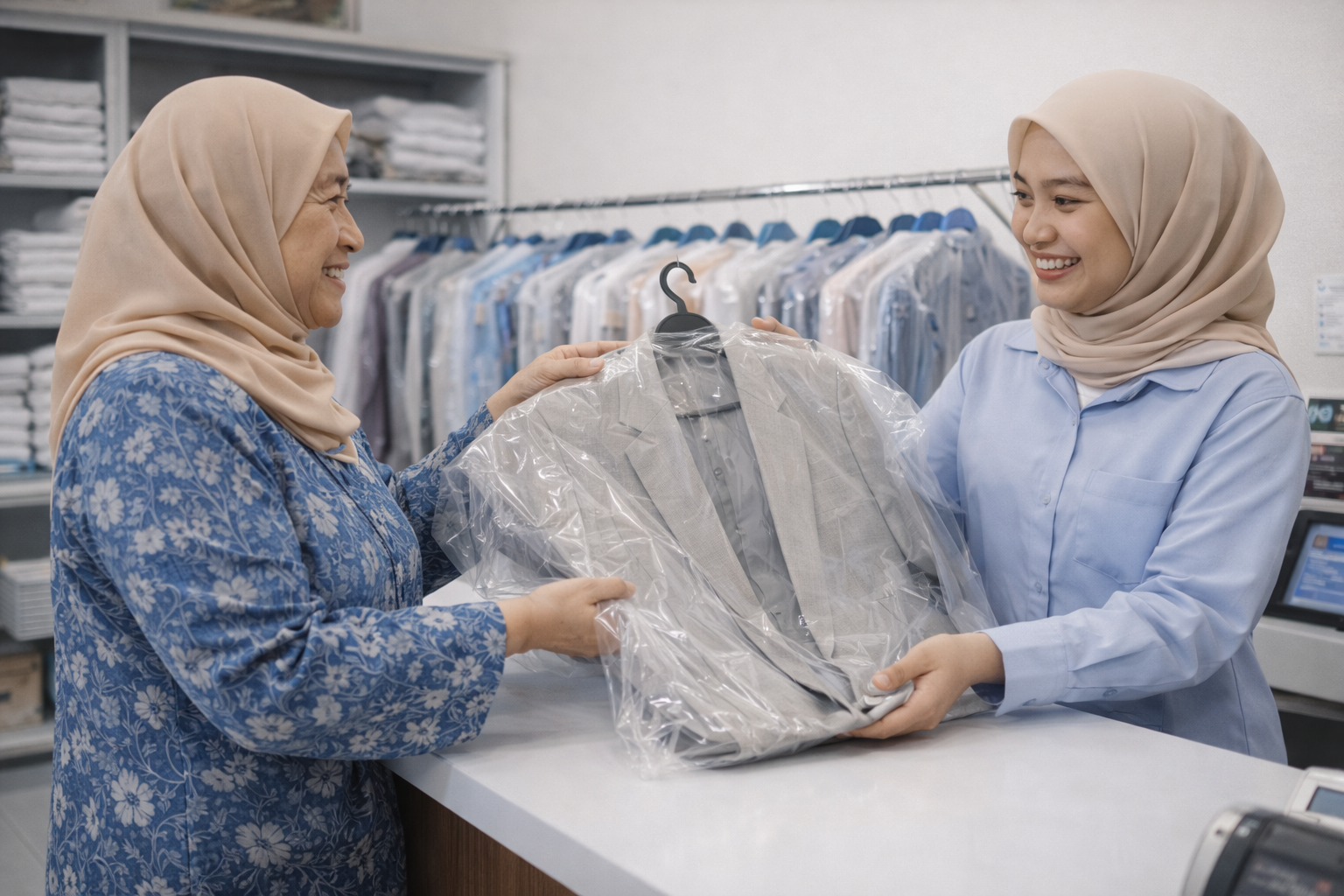
Every new order follows the same routine: start the order, select the customer, add items, choose the due date, save with or without payment, then review the summary and print.
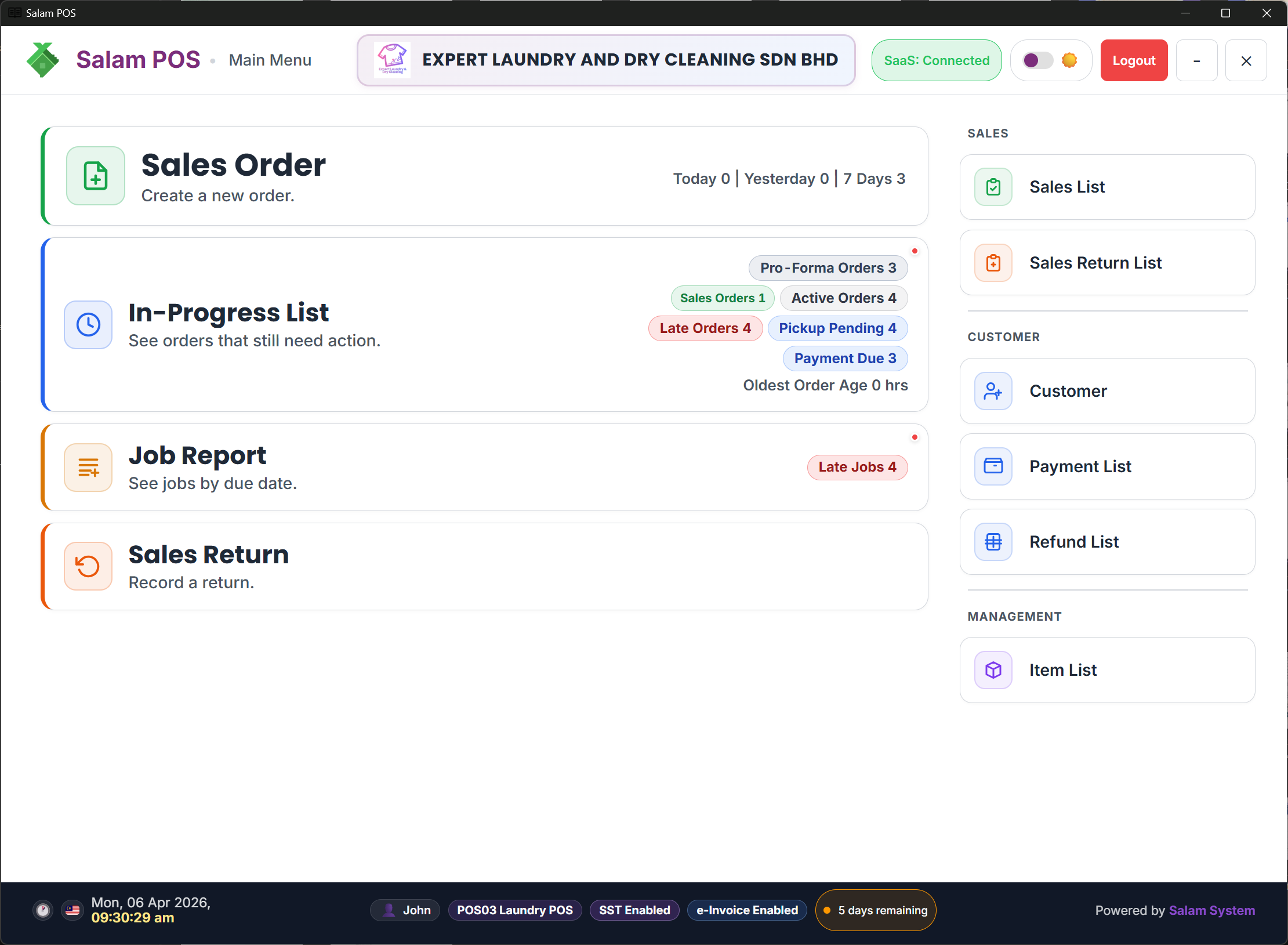
Enter from the main menu so staff can start a new order quickly at the counter.
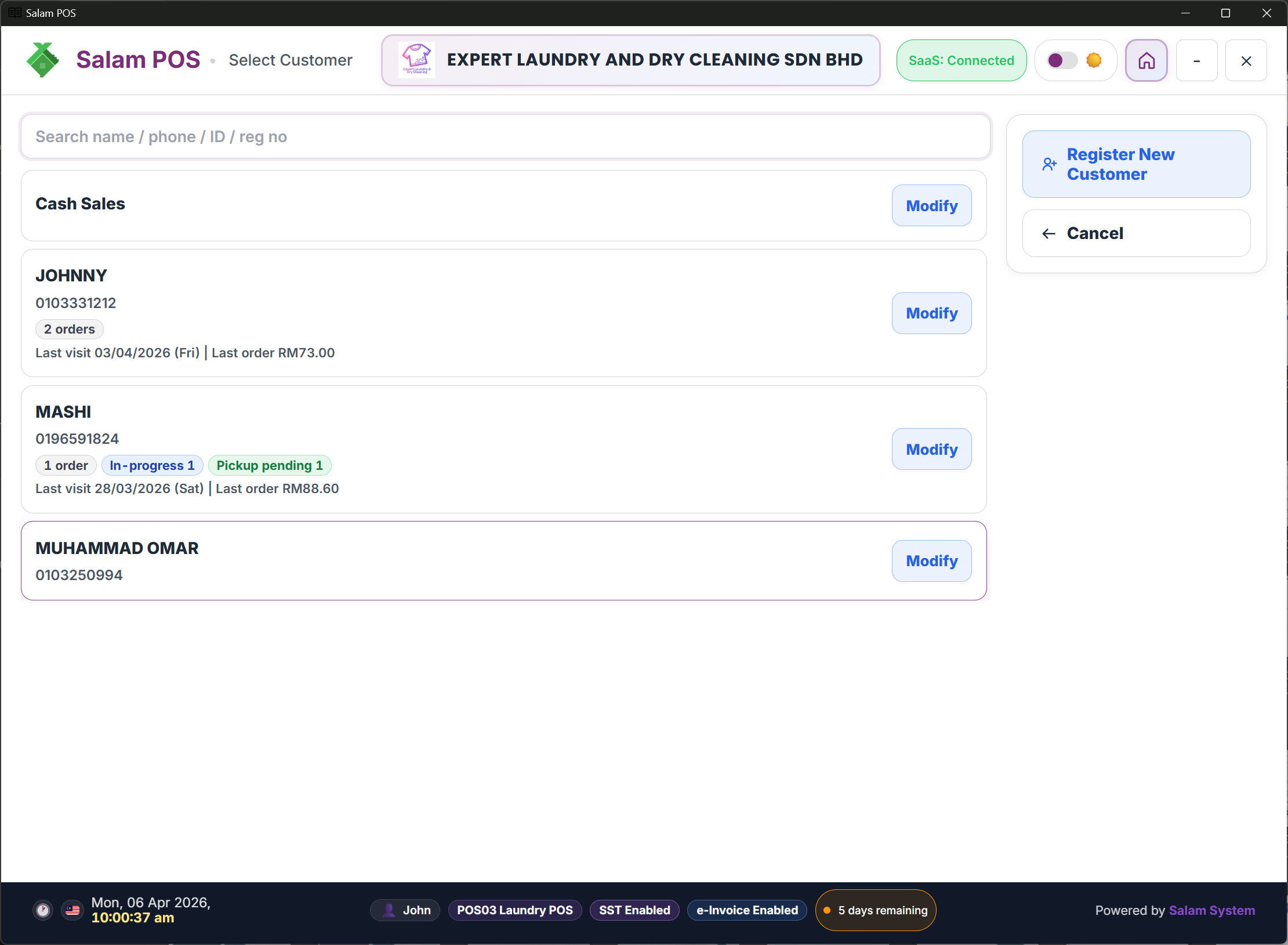
Find an existing customer or register a new one before items are added.
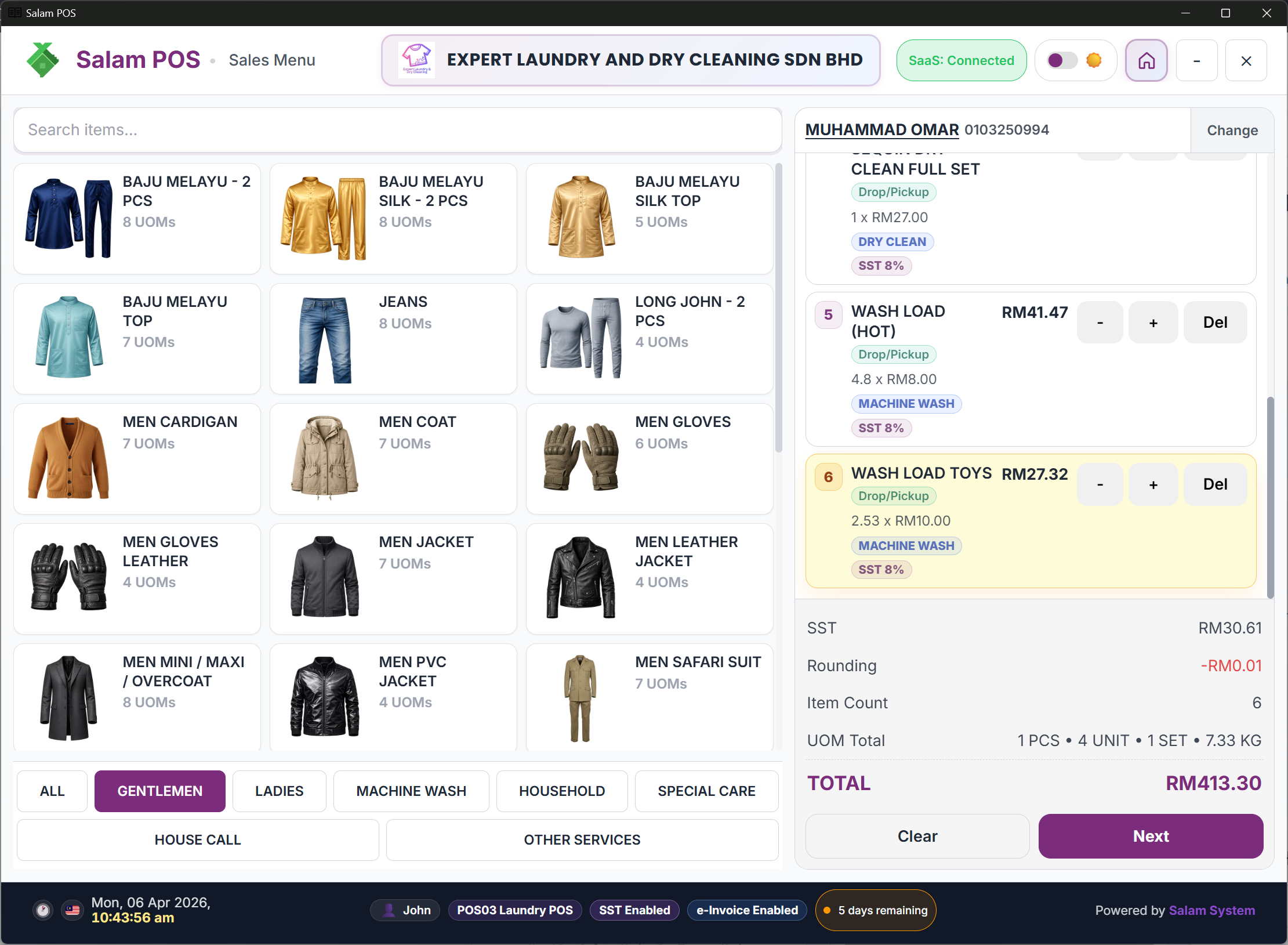
Add items and services with clear quantities, UOM, and pricing.
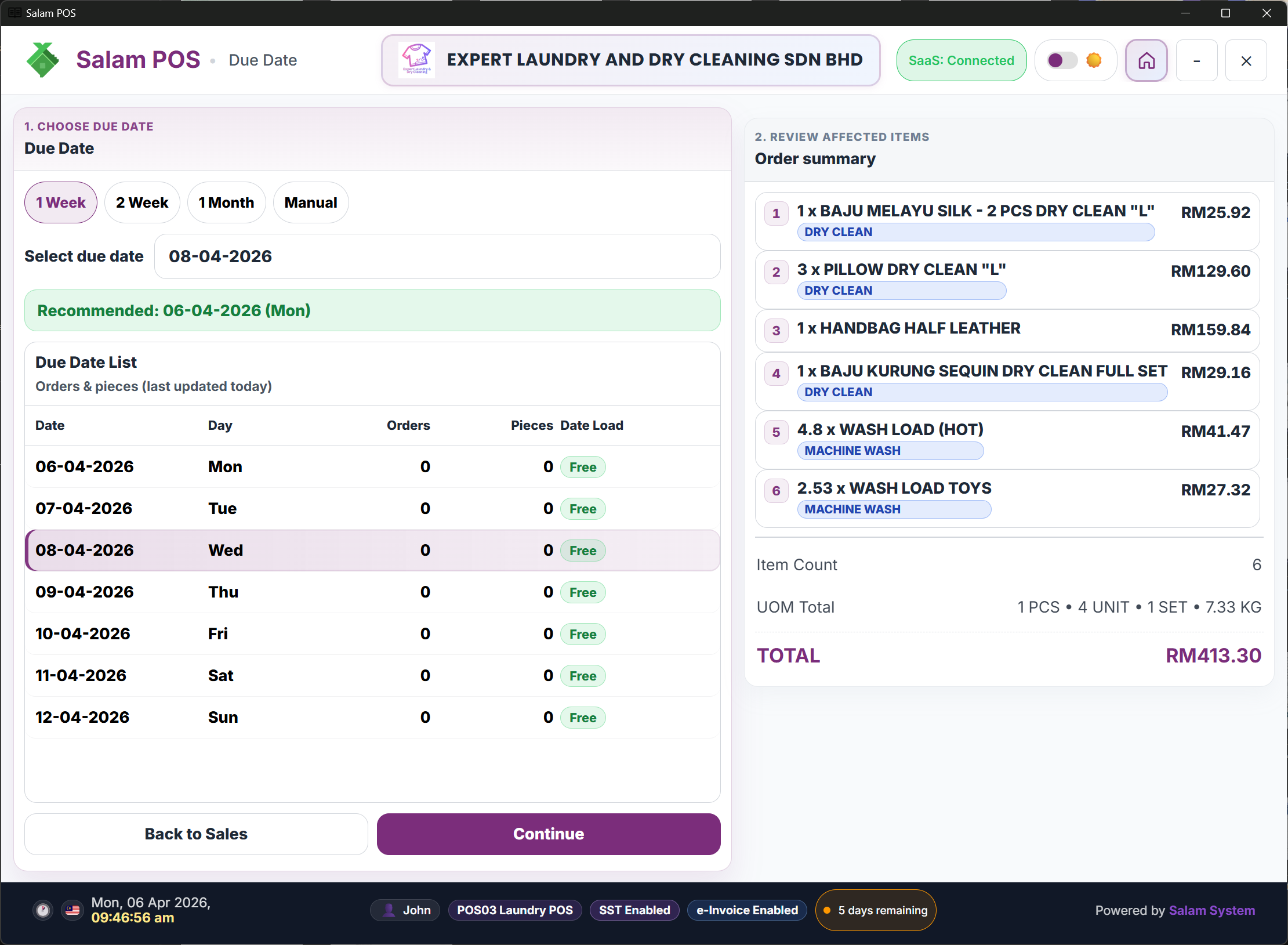
Set the promised due date so pickup timing and workload stay under control.
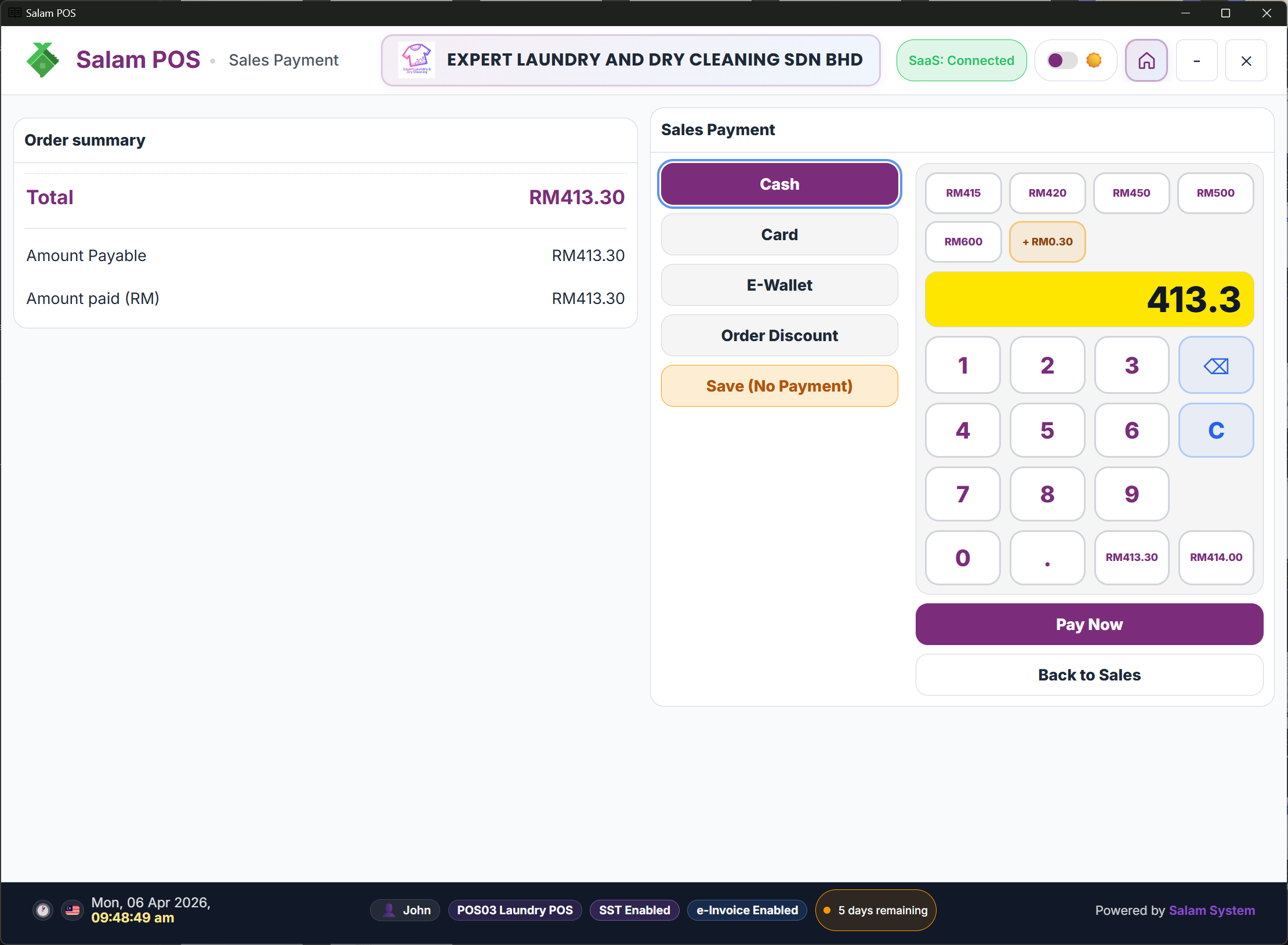
Save with no payment, take a deposit, or collect full payment based on the customer's situation.
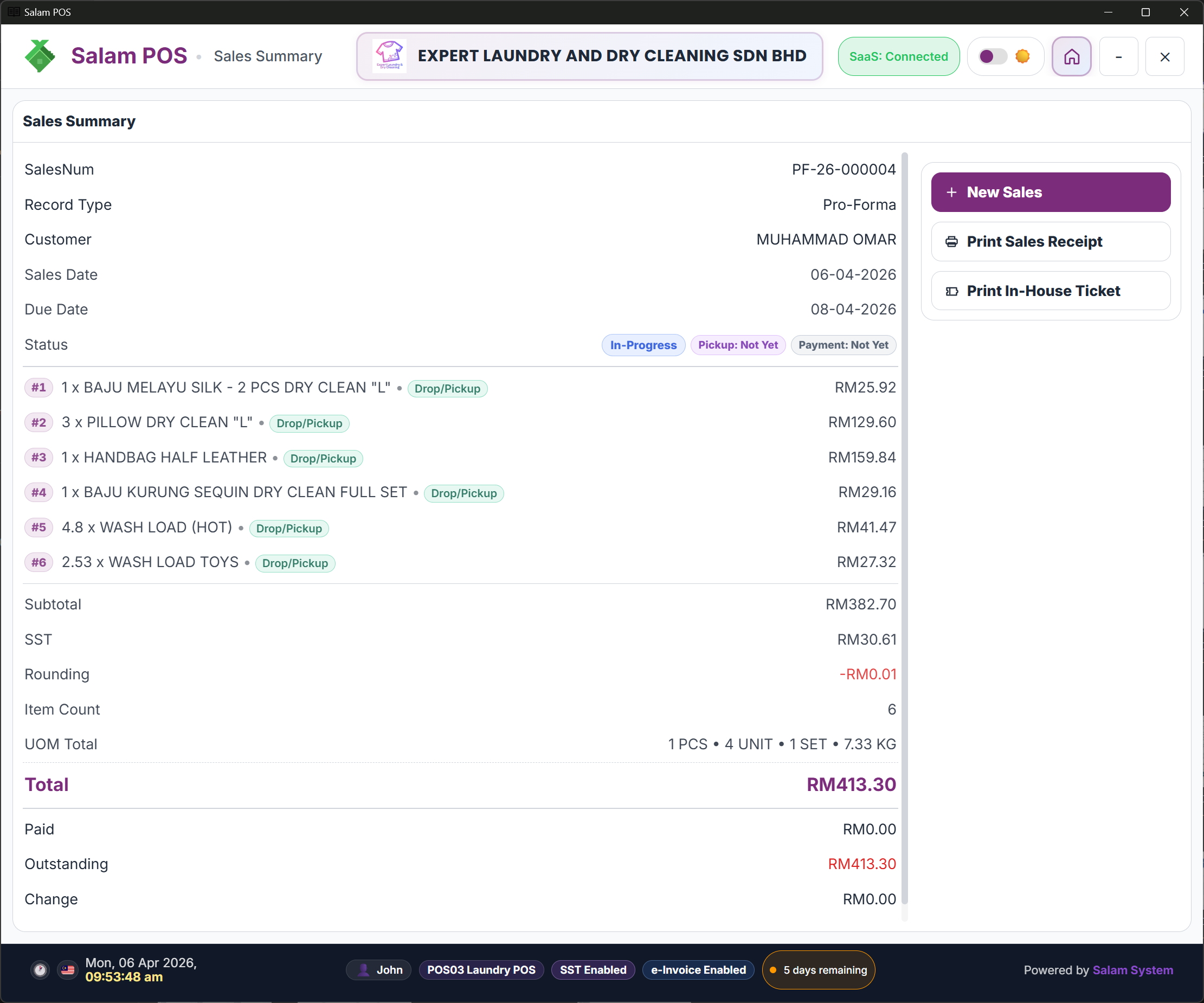
Review the new order summary, then print the receipt and in-house ticket from the same screen.
This section focuses on what the system produces after an order is saved: receipts, tickets, a printed report, and the owner online summary.
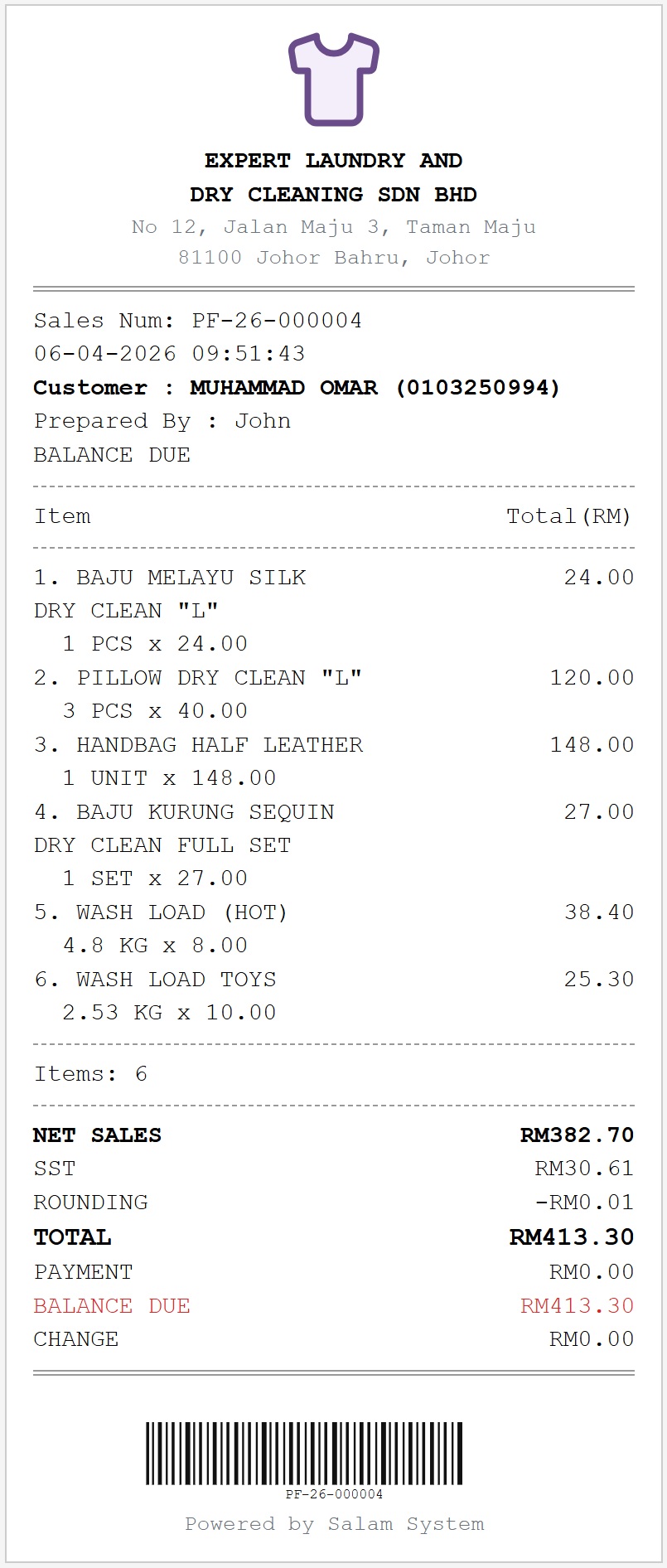
For counter customers, with totals, paid amount, and balance.
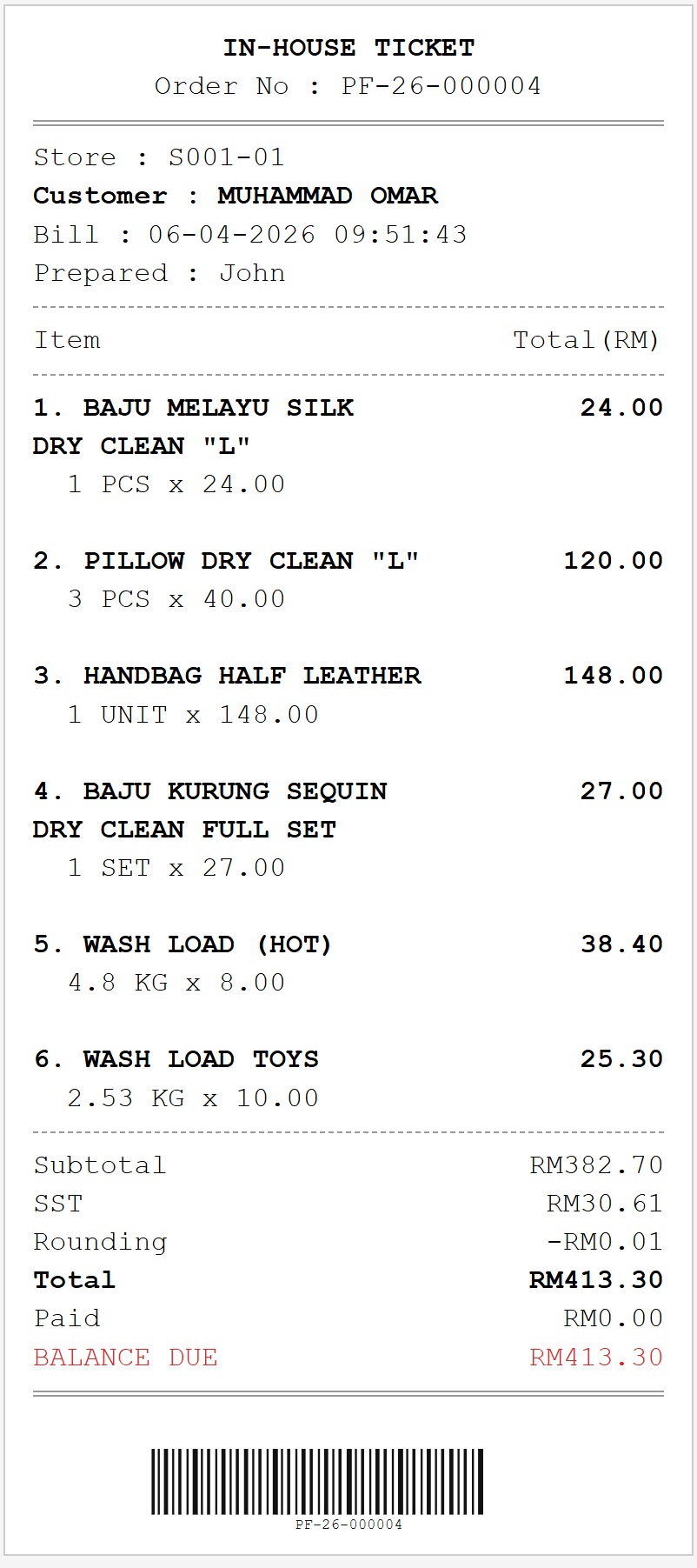
For orders that need fuller details and careful handling.
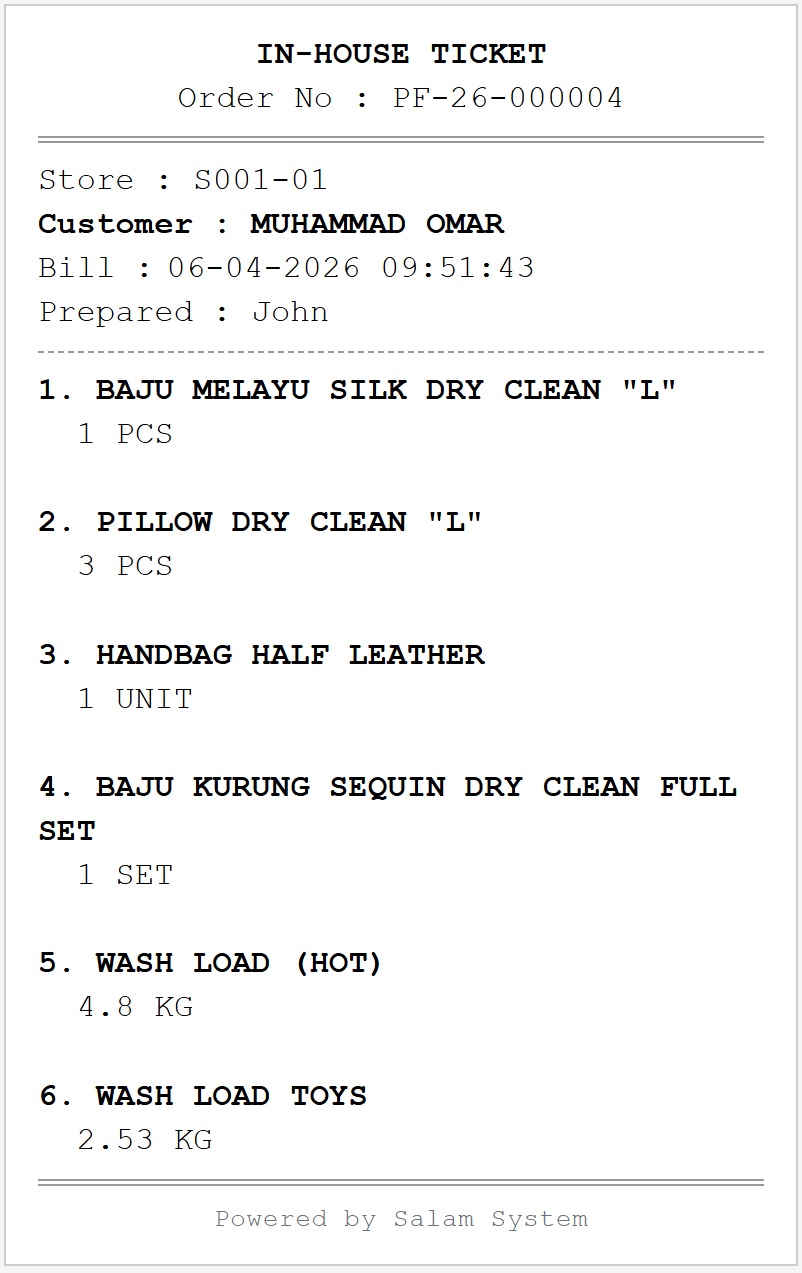
For fast counter ops, easier for staff to read at a glance.
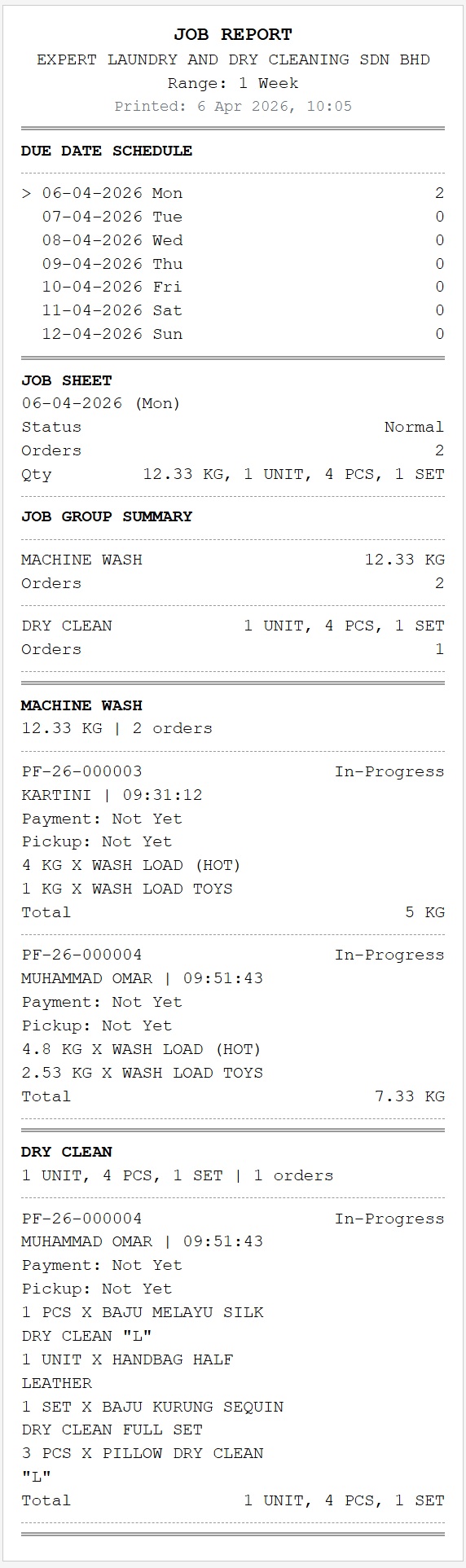
Review daily staff work: completed, pending, and still awaiting pickup.
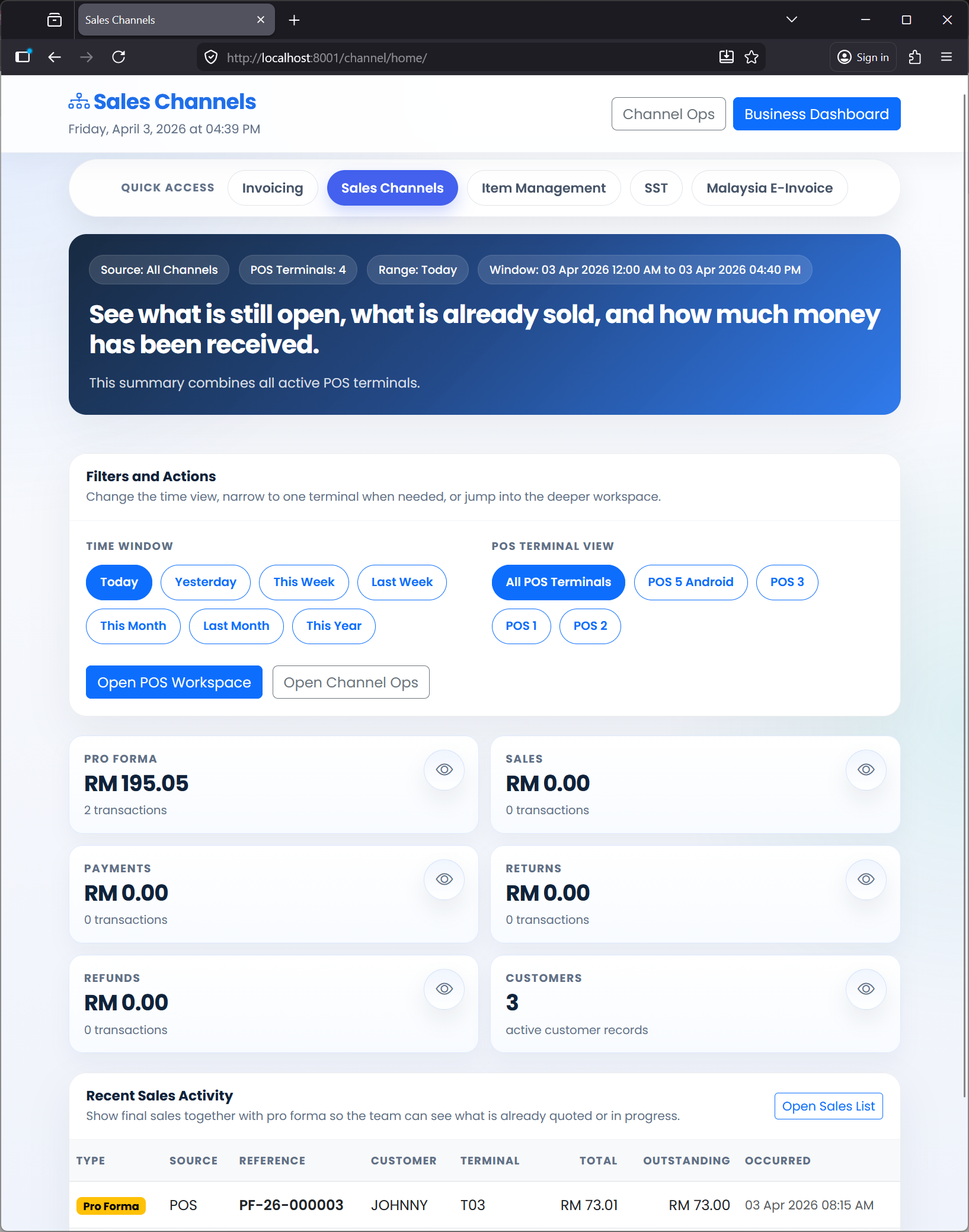
An online owner summary for checking trends and statuses without waiting for manual reports.
This section focuses on active order follow-up, item locations, pickup messaging, and completing pickup at the counter.
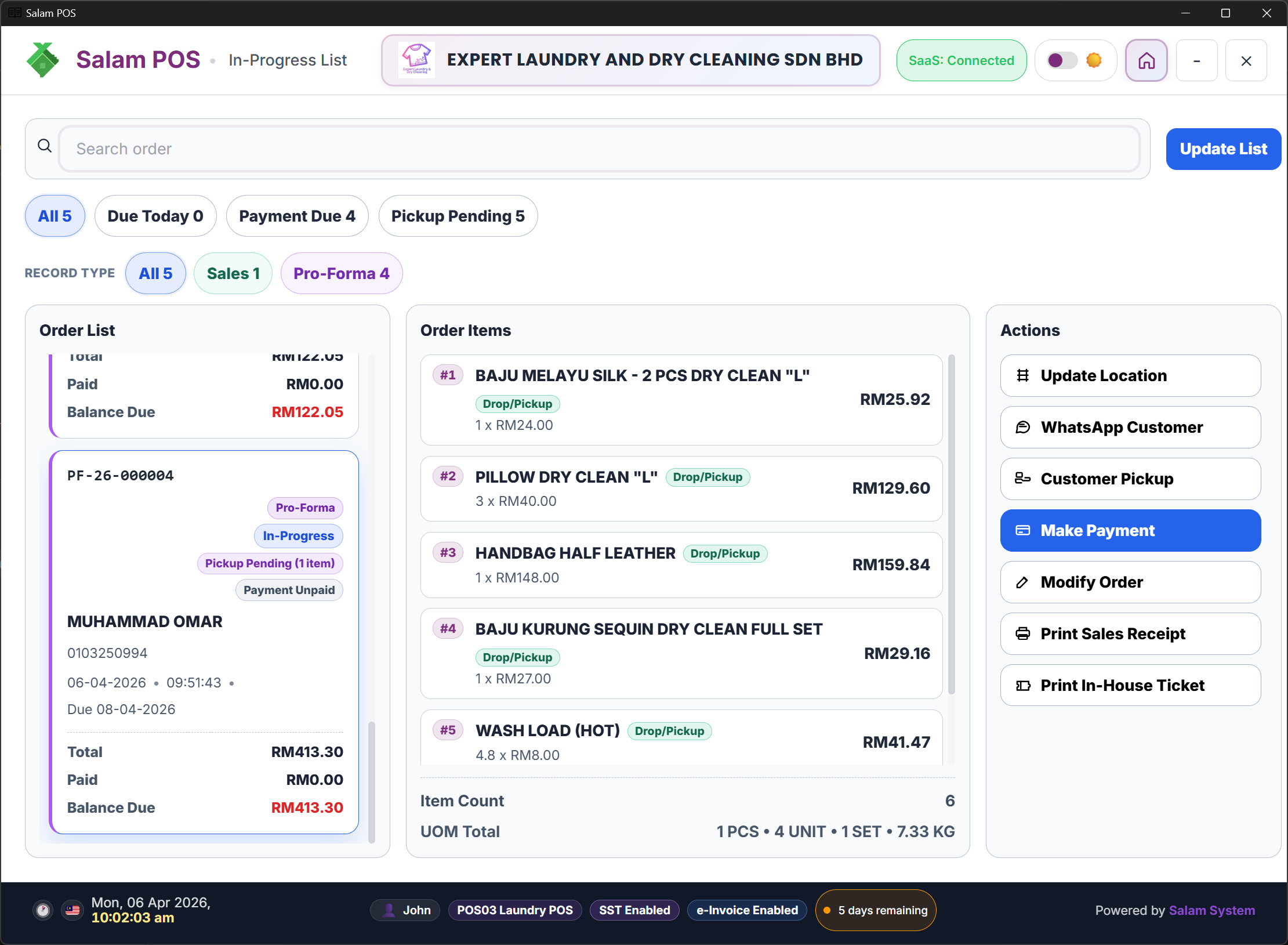
Track jobs that are still in progress, what is due soon, and what to work on first today.
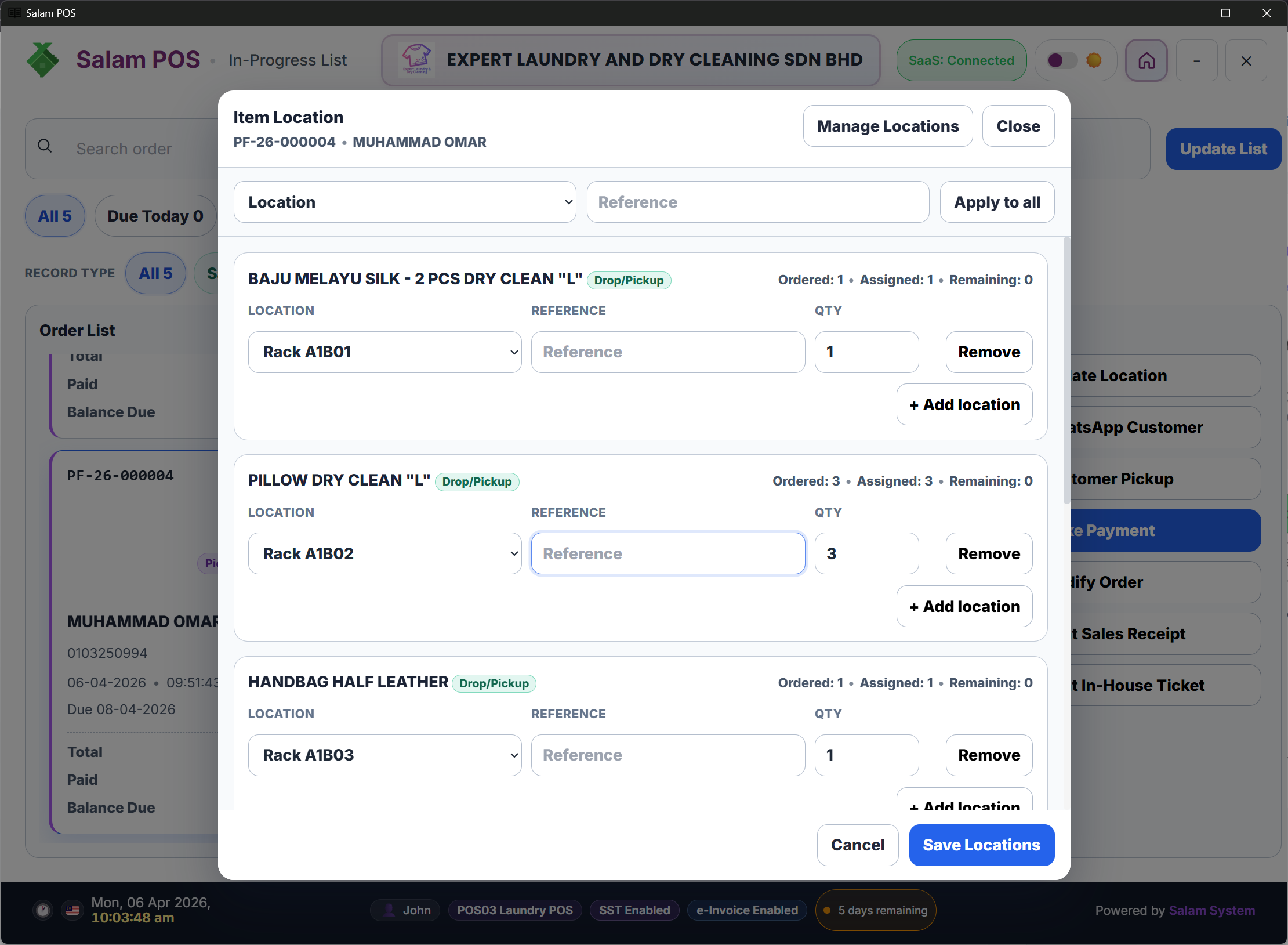
Update locations (rack/slot) for faster pickups.
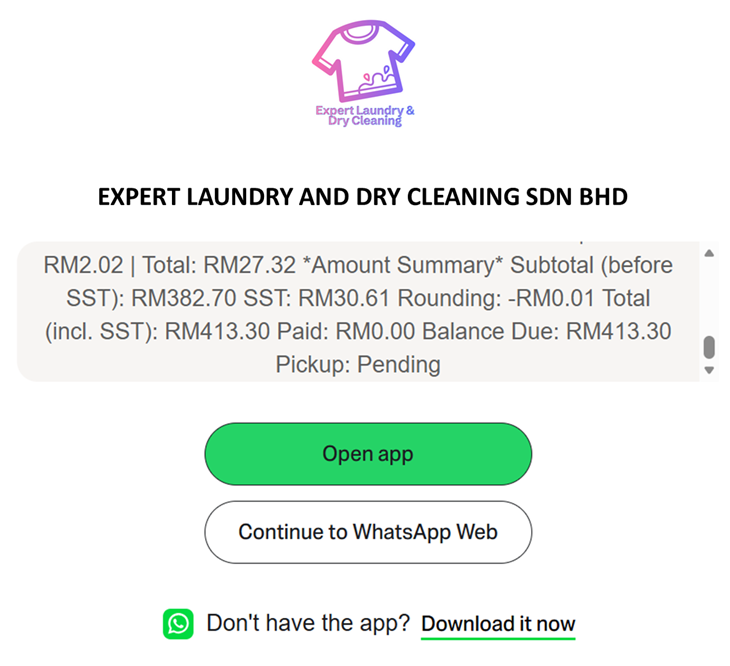
Prepare a pickup follow-up message with item details, subtotal, SST, and balance due so customers can understand the amount clearly.
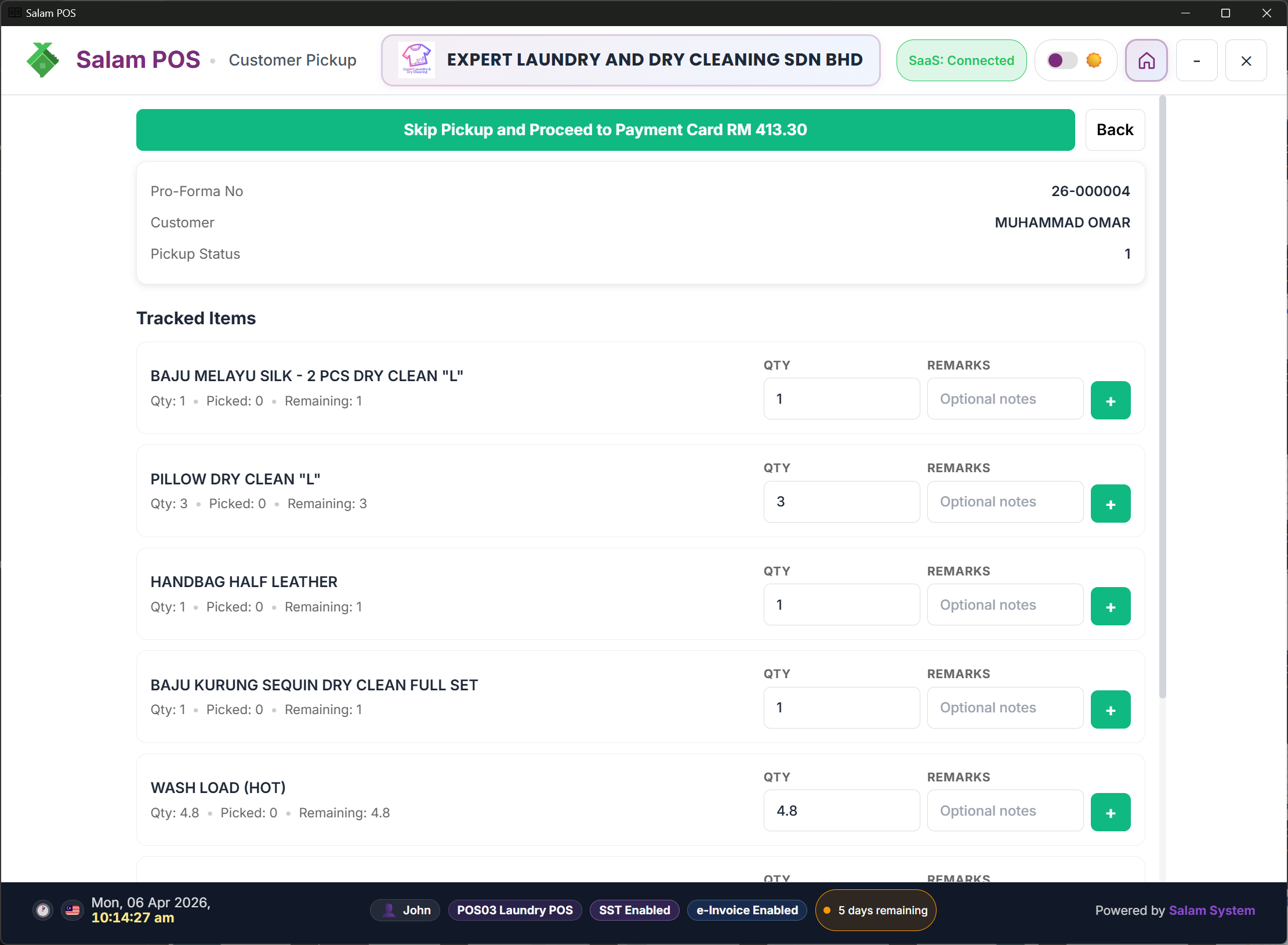
Confirm collected items, settle the remaining balance, and close the order clearly at the counter.
Use a dedicated terminal for a fixed counter, or a supported Android device for more flexible operations. The setup can match your outlet count, counters, and printing needs.
Great for fixed counters with monitor, receipt printer, and cash drawer.
For smaller counters or more flexible operations - an Android device can act as a POS terminal.
Add terminals/outlets as you grow without switching systems.
Review receipt/ticket printing options based on your counter needs.

Laundry plan starts at RM149/month with 10 users and 1 terminal included. Fits laundry businesses with specialized workflow: drop-off, pickup, partial payment, and job status.
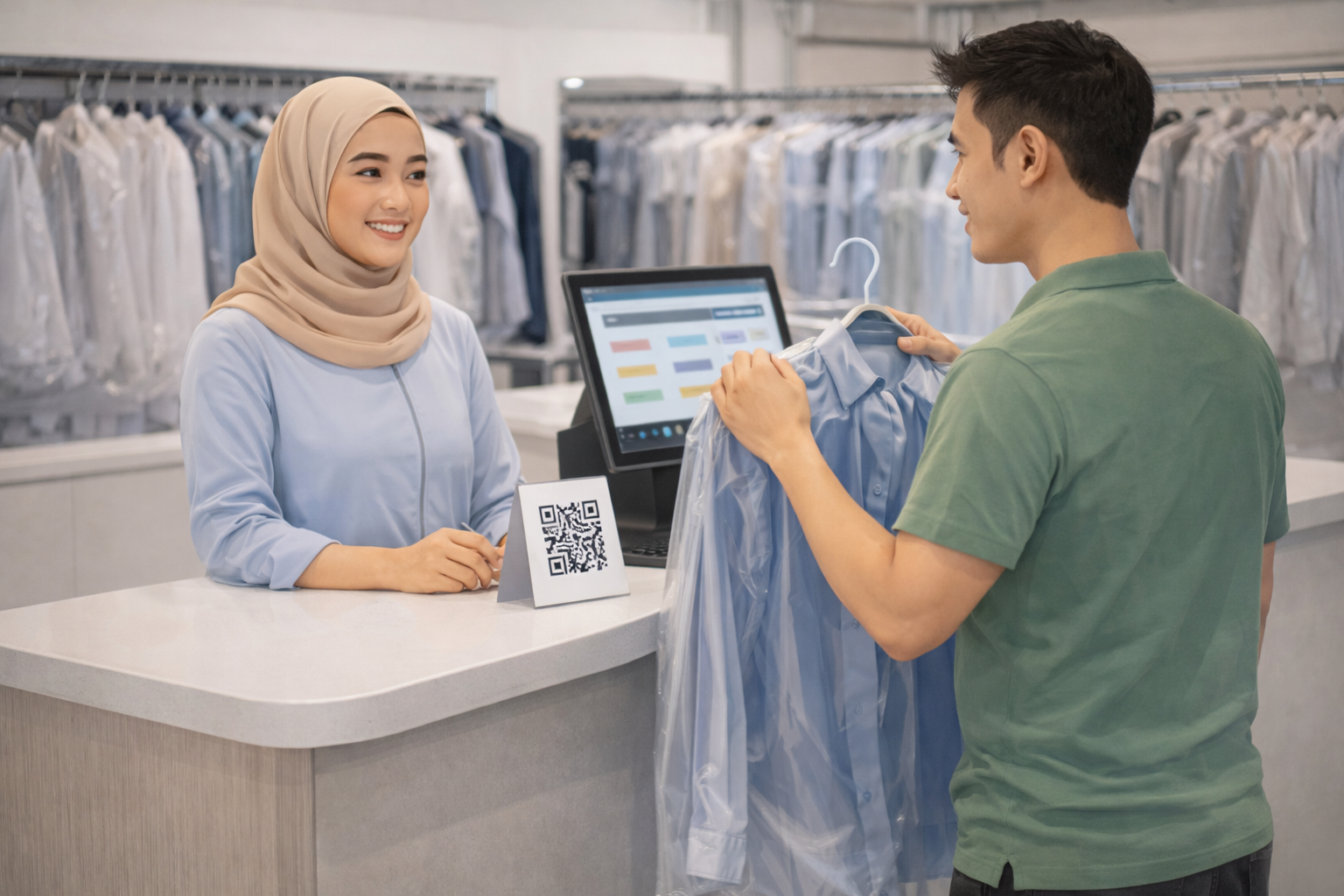
For laundry and dry-cleaning with specialized workflow: drop-off, pickup, partial payment, and job status.
Yearly RM 1,440.00 (19.5% off)
Add extra terminals or activate compliance add-ons such as e-Invoice and SST when you truly need them.
Increase the number of Standard POS terminal seats.
Malaysian e-Invoice compliance (IRBM integration).
Sales & Service Tax compliance.
The prices above are a quick reference. If you want to activate an add-on, share your workflow and we will recommend the best-fit setup.
Adding counters or outlets? You can upgrade to Premises or Retail plan without changing systems.
If you have a unique workflow (pickup delivery, special tags, bundles), share a summary and we will review the best-fit setup.
Tell us your services (wash/dry clean/iron), drop-off/pickup flow, and whether you prefer simple or detailed in-house tickets. If you want WhatsApp pickup messages, mention that too.
Short summaries to help you choose the right page without guessing.

Compare all plans quickly, then jump to the page that fits your operation.
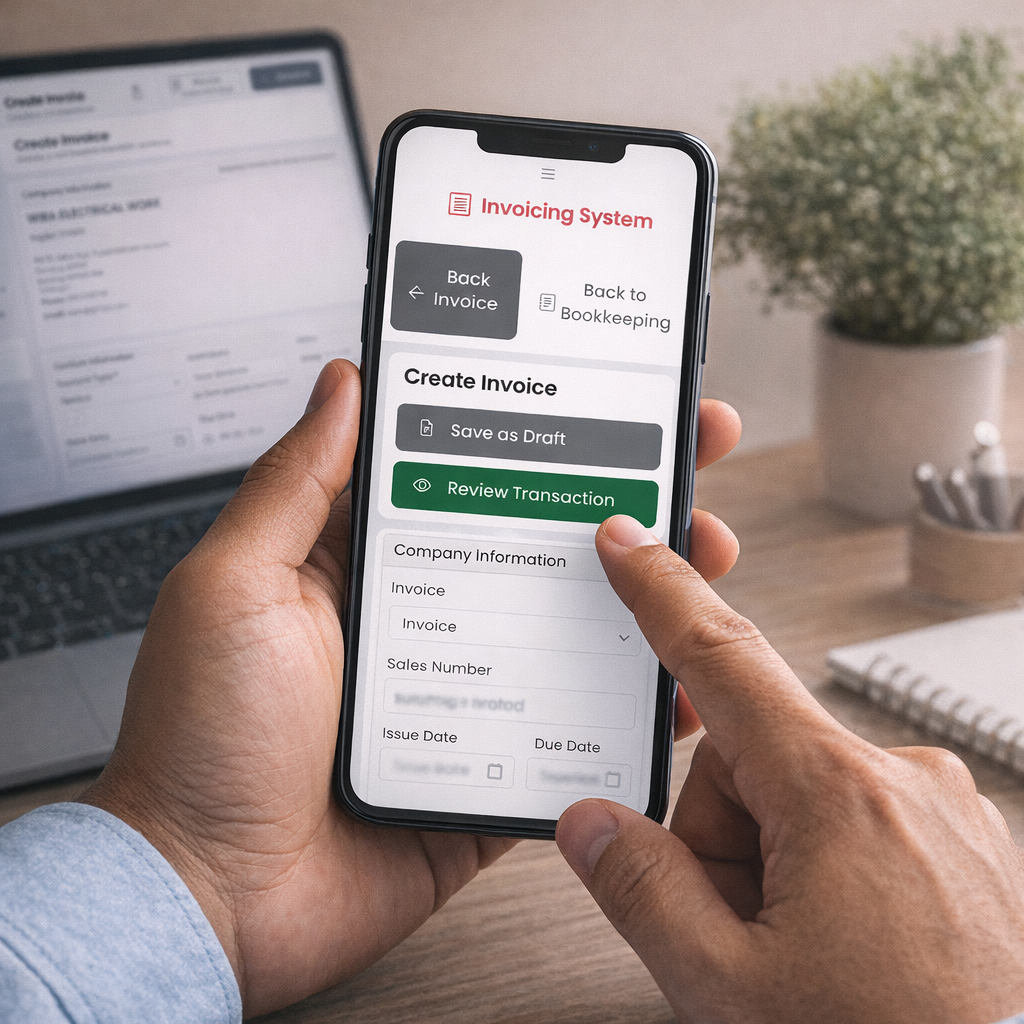
For document-first teams: invoices, quotations, proformas, customer records, and consistent PDFs.

For stalls and small counters: fast selling, simple receipts, and daily records.

For fixed-counter premises like boutiques, spas, salons, and barbershops. See workflow and setup examples.

For item-heavy shops like groceries, pet stores, and hardware. See workflow and counter setup examples.